A Few Home Page Updates
Recently we added a few new touches to the home page of The Family History Guide. Here’s a screen shot of the page, with details about what’s new:
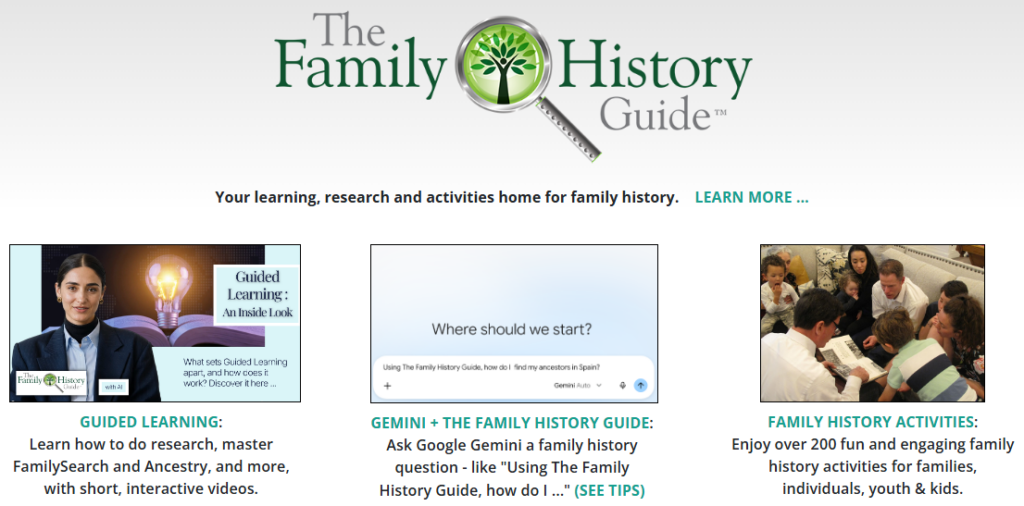
1. The Family History Guide logo and “Learn More …” are now linked to the About page.
2. There are three tiles in the center of the page:
- Guided Learning, which takes you to the library of over 300 Guided Learning videos on the site
- Gemini + The Family History Guide, which opens Google Gemini so you can ask a question like “Using The Family History Guide, how do I find my ancestors in Spain?” The “See Tips” shows useful Gemini prompts as well as a sample response from an actual query.
- Family History Activities, which takes you to a summary page of family history activities on the site
The top section has also been adjusted:

1. The Search icon (magnifying glass) has been moved to the upper-right part of the screen.
2. The icons for Print Friendly, Ask Gemini, and Select Language are now centered on the screen.
We hope you enjoy the new simplified look of The Family History GUide home page. The top menus work as before, with “Help with Features” added to the Intro menu.